 Chandler
Order Processing
from the ship's PO to delivery at the ship
When the vessel confirms, Chandler checks its PO against your quote, raises supplier POs, tracks every delivery into your store, and hands over at the ship with photos. Every step updates the same order.
Used by: Purchasing officer · Store keeper · Boarding officer
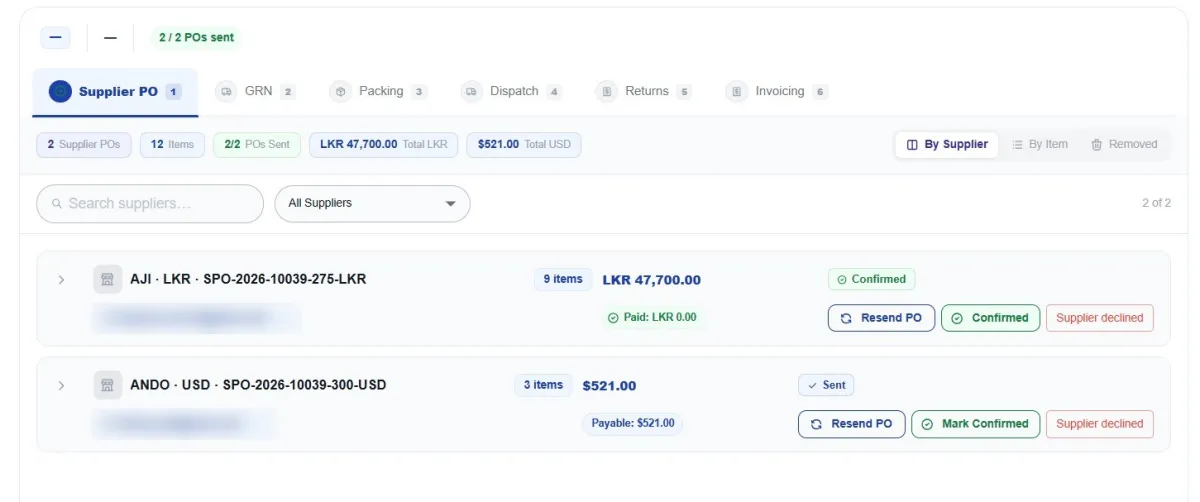
In short: Chandler's Order Processing module validates the vessel's PO against your quote, raises one PO per supplier and currency, records goods received line by line, packs and dispatches boxes by vehicle, records handover with photos, handles returns and resupply, and builds the final invoice from what was delivered.
The ship confirms. Suppliers get their POs.
When the vessel sends its purchase order, Chandler checks it against your quote and turns it into supplier orders automatically.
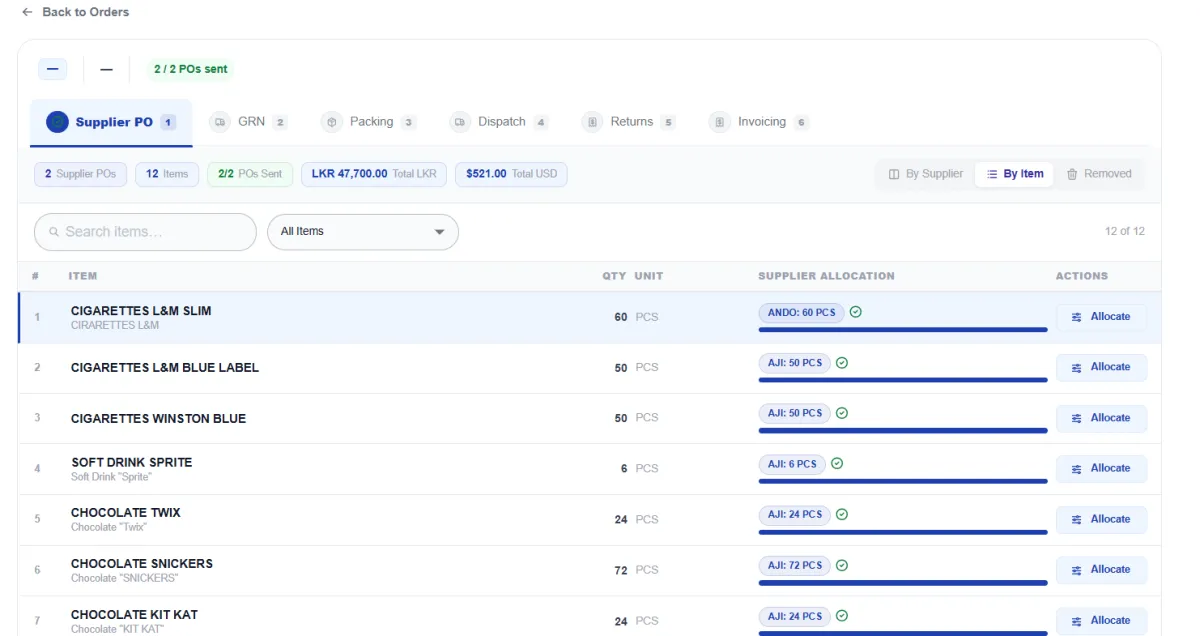
- Vessel PO validation: the ship's PO is checked line by line against what you quoted
- One PO per supplier, per currency, numbered automatically, with totals per currency
- Three views: by supplier, by item, and removed items
- Allocate a line across suppliers, such as 40 from one and 20 from another
- Status per PO: not sent, sent, confirmed or declined; resend or mark confirmed in one click
- Paid and payable amounts per supplier
- Supplier declines? Move the items to another supplier without redoing the order
- Supplier PO approval by the general manager, where required
Know what has arrived, and what hasn't
The store team checks goods in against the supplier POs. Every line shows ordered, received and remaining.
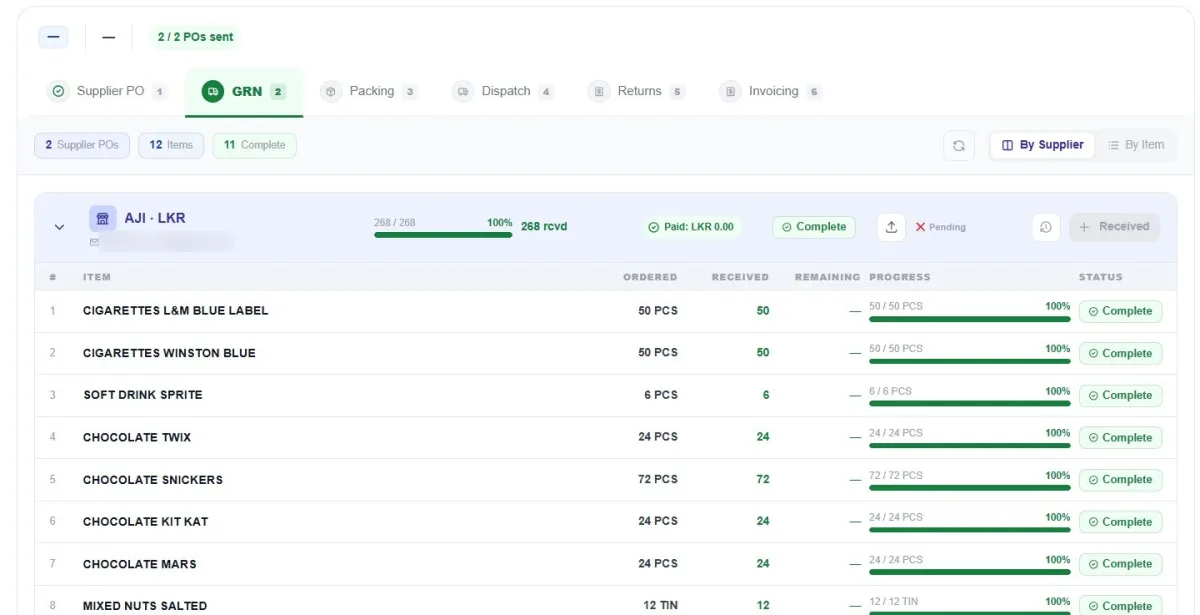
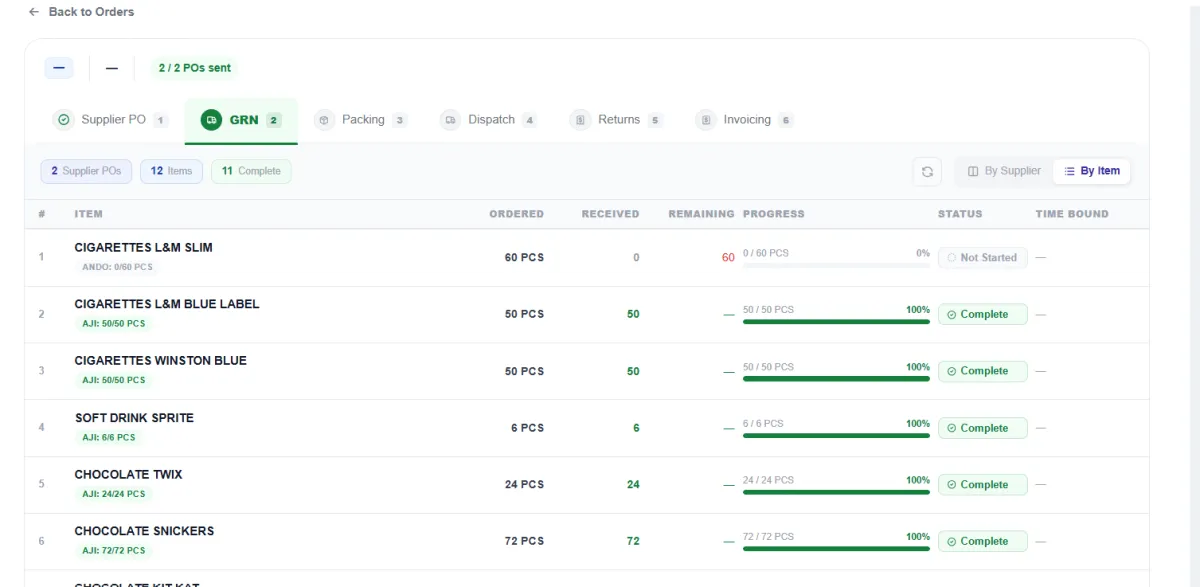
- Receive by supplier or by item
- Ordered, received and remaining for every line, with a progress bar
- Partial deliveries: receive what came, the rest stays open
- Time-bound items flagged, such as fresh and frozen goods
- Upload the supplier's delivery note to the GRN
- Anything missing shows up in order health straight away
Deliver with proof, box by box
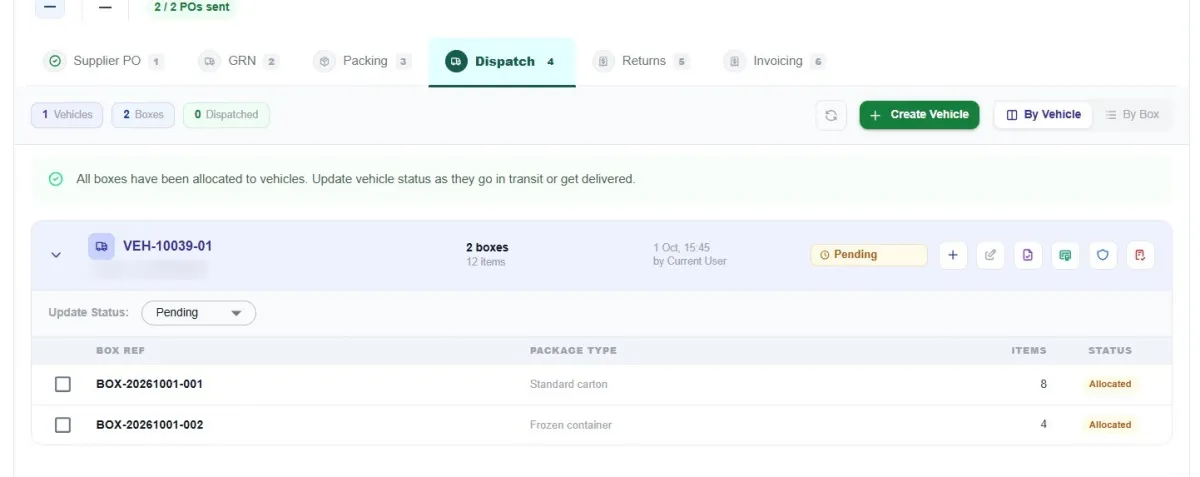
Received items are packed into labelled boxes, loaded onto vehicles and handed over at the ship with photos.
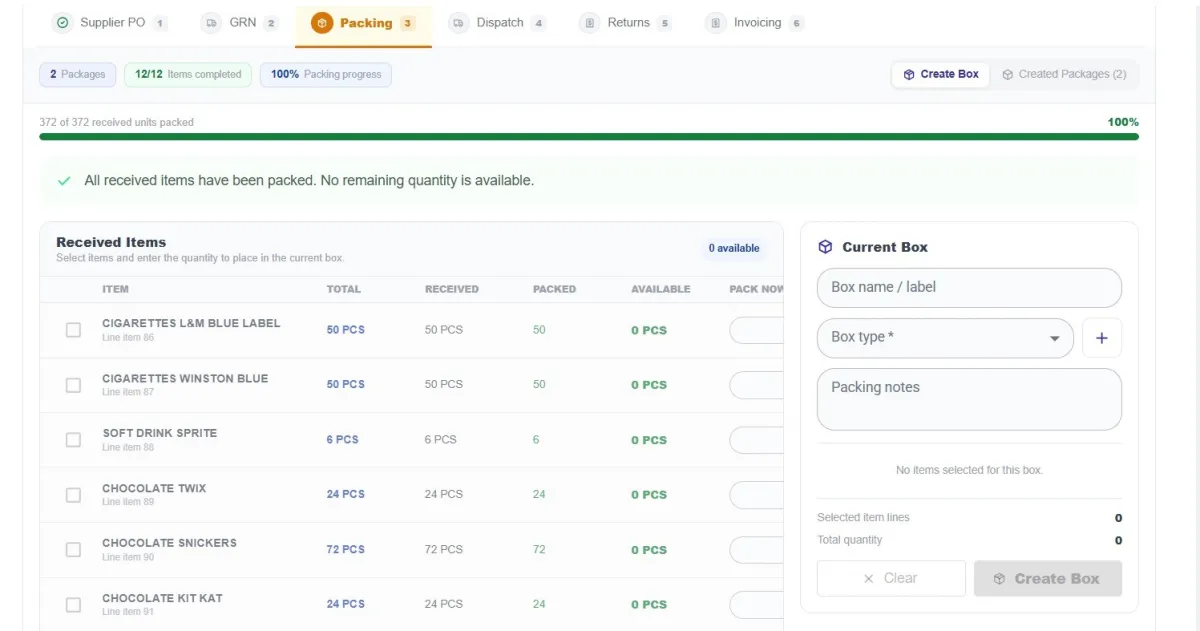
- Pack only what was received, or part of a line into one box and the rest into another
- Your own box types: standard carton, frozen container and more
- Vehicles with driver, boxes allocated to vehicles, status pending, in transit or delivered
- Who dispatched it and when, recorded automatically, with delivery documents per vehicle
- Handover at the ship with photos: your proof if a delivery is ever disputed
- Feedback from the vessel through a handover link
- Boarding officers see only what they need for packing, dispatch and handover
BenefitEvery box is accounted for from your store to the ship, with photos at handover.
Things go wrong in chandling. Chandler is ready for them.
Rejected items, wrong deliveries and suppliers who can't supply are part of the job. Chandler tracks every one: switch supplier in one step, resupply immediately when the vessel rejects items, and return wrong items with every return tracked.
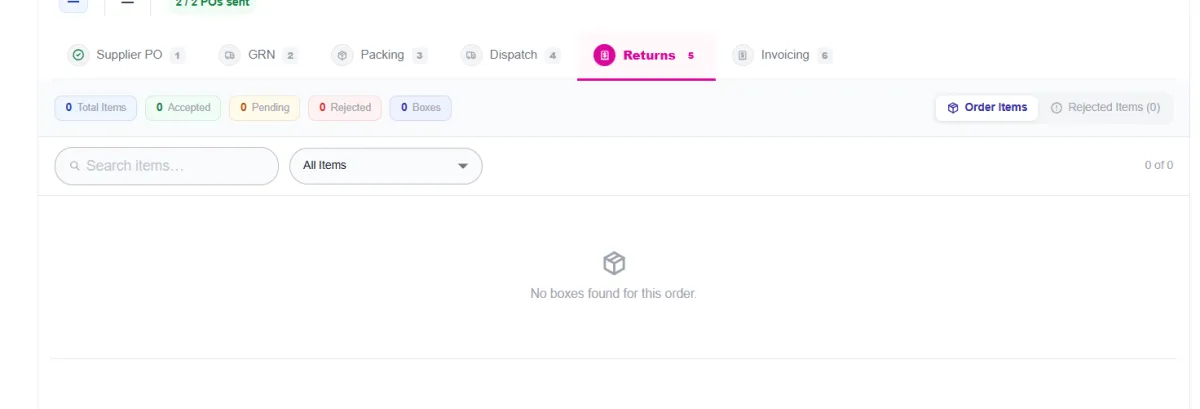
- Returns at handover, within 48 hours and within two weeks, each tracked separately
- Accepted, pending and rejected counts per order
- Linked to the box the item was packed in
- Immediate resupply orders
- Credit notes flow through to the final invoice
Invoice from the order, not from scratch
The invoice is built from what was actually delivered, so nothing is retyped and nothing is missed.
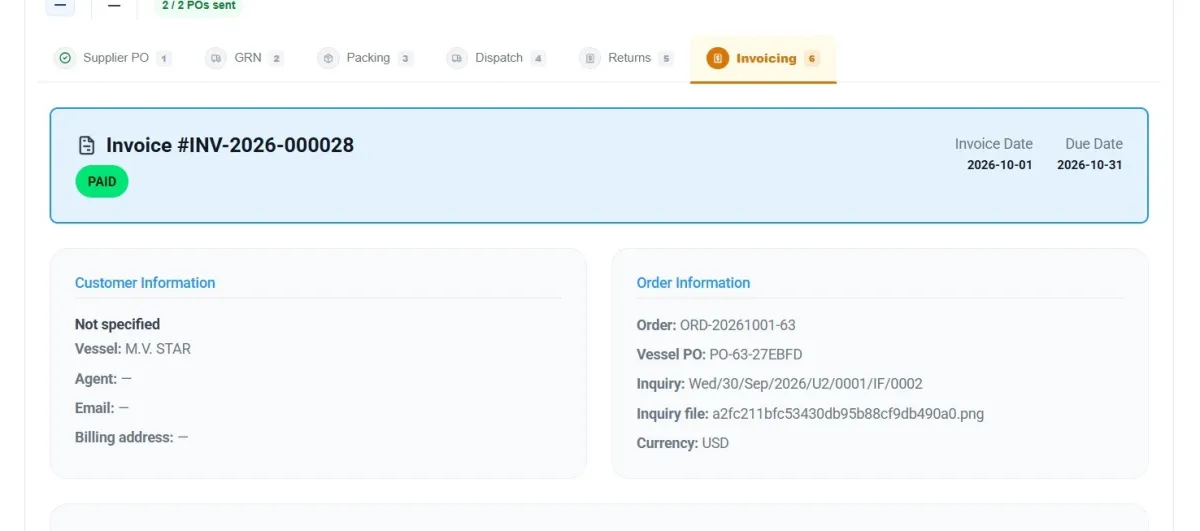
- Automatic invoice number, invoice date and due date, paid or due status
- Linked to the order: vessel PO, inquiry reference and the original inquiry file
- Invoice currency set per order
- Credit notes and advances deducted automatically
- Payments received, each posted to the accounts journal; balance due always up to date
- Final statement of account and final credit note for the agent
Order Processing:common questions
Last updated 6 October 2026
Can one order go to several suppliers in different currencies?
Yes. Chandler raises one PO per supplier, per currency, and can split a single line across suppliers. Totals are shown per currency for the whole order.
What happens when the vessel rejects items at handover?
Record the return at handover, within 48 hours or within two weeks. Start a resupply order straight away, and credit notes flow through to the final invoice.
Do we need photos at handover?
Boarding officers can attach handover photos to each delivery. They are your proof if a delivery is ever disputed.
Five modules, one system
See Chandleron your own inquiry.
Send us a real inquiry and we'll show you, in 30 minutes, how Chandler reads it, prices it and turns it into a quote.
- Your workflowsTell us which workflows you want to automate.
- A real inquirySend us a quote request you received from a ship.
- Your demoWe prepare it and walk your team through it.